
Download AnkiDecks – AI‑Powered Flashcard Creator for Students
Overview
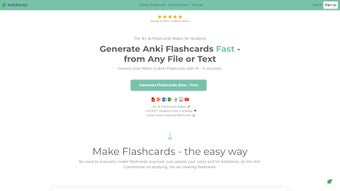
AnkiDecks is a cutting‑edge web application that transforms the labor‑intensive process of flashcard creation into a fast, AI‑driven workflow. By leveraging OpenAI’s GPT‑4 model, the platform can ingest a wide range of source materials—PDF lecture notes, PowerPoint presentations, Word documents, plain‑text files, and even image‑based slides—and instantly generate fully formatted Anki cards ready for study. What truly differentiates AnkiDecks from other flashcard generators is its multilingual engine, which supports more than 50 languages and includes built‑in text‑to‑speech, allowing learners to hear pronunciations and practice listening skills in real time.
The tool also excels in visual subjects thanks to an automatic image‑occlusion feature that masks selected regions of diagrams, perfect for anatomy, geography, engineering schematics, or any subject where visual recall is essential. Users can choose between classic front‑back cards, cloze‑deletion (fill‑in‑the‑blank) cards, or a hybrid approach, ensuring the generated decks match personal study preferences. Once the decks are generated, they can be exported directly to the desktop Anki client as .apkg files or studied instantly through AnkiDecks’ own browser‑based viewer.
The service is hosted on secure, GDPR‑compliant cloud infrastructure, guaranteeing that all data transfers are encrypted and that no personal information is retained beyond the session. In summary, AnkiDecks offers a secure, fast, and highly customizable study aid that saves hours of manual entry while keeping the learning experience engaging and adaptable to any subject area or language need.
Key Features of AnkiDecks
AnkiDecks packs a robust suite of capabilities designed to meet the diverse demands of students, educators, and professionals. Whether you are preparing for a medical exam, mastering a new language, or reviewing technical documentation, the platform’s AI engine and flexible output options give you the tools to create high‑quality decks in minutes rather than days. Below is a detailed look at the most valuable features that set AnkiDecks apart.
- AI‑Generated Flashcards: Utilises GPT‑4 to extract key concepts and automatically formulate question‑answer pairs, dramatically reducing manual effort.
- Multi‑File Support: Accepts PDFs, PPTX, DOCX, TXT, and image files, parsing each format without requiring separate conversion tools.
- 50+ Language Capability: Enables deck creation in languages ranging from English and Spanish to Japanese, Arabic, Hindi, and many more.
- Image Occlusion: Automatically masks parts of an image to test visual recall—ideal for anatomy, histology, circuit diagrams, maps, and other visual subjects.
- Cloze Deletion Builder: Generates fill‑in‑the‑blank cards with a single click, perfect for language learning, code memorization, and factual recall.
- Text‑to‑Speech Integration: Provides native‑like pronunciation for foreign‑language terms directly within each card, enhancing auditory learning.
- One‑Click Export to Anki: Syncs generated decks with the desktop Anki client or downloads them as .apkg files for offline study.
- Online Study Mode: Allows immediate study in the browser, eliminating the need for any additional software installation.
- Secure Cloud Processing: All AI operations run over encrypted HTTPS connections; personal data is never stored long‑term.
- Regular Updates: Frequent feature rollouts keep the platform aligned with the latest AI advancements and Anki standards.
Installation, Usage Instructions & Compatibility
Getting Started – No Download Required
Because AnkiDecks is a fully web‑based service, there is no traditional installation process. Simply navigate to ankidecks.com, register for a free account, and you’re ready to begin. The platform is optimized for modern browsers—including Chrome, Edge, Firefox, and Safari—and automatically adjusts its layout for desktop monitors, tablets, and smartphones, delivering a consistent experience across devices.
Step‑by‑Step Workflow
- Upload Your Source Material: Drag‑and‑drop a PDF, PowerPoint, Word document, plain‑text file, or image into the designated upload zone. The system validates the file size and format instantly.
- Select Deck Settings: Choose the target language, preferred card type (basic, cloze, image occlusion), and whether text‑to‑speech should be enabled for each card.
- Generate Cards: Click “Create Deck.” Within seconds, the AI parses the content, extracts key concepts, and presents a preview of the flashcards for you to review.
- Edit & Refine (Optional): Use the built‑in inline editor to adjust wording, add tags, modify difficulty levels, or correct any AI‑generated errors.
- Export or Study: Press “Export to Anki” to download an .apkg file for offline use, or select “Study Online” to start a browser‑based study session immediately.
- Sync Across Devices: If you use the desktop Anki client, import the .apkg file; the decks will then be available on all devices where Anki is installed.
Compatibility Details
AnkiDecks runs on any operating system that supports a modern web browser, including Windows 10/11, macOS Ventura and later, major Linux distributions, Android 8.0+, and iOS 13+. Because the service is cloud‑hosted, there are no platform‑specific binaries, drivers, or runtime environments to manage, making it a truly cross‑platform solution.
Security, Privacy & Automatic Updates
All data transmissions are encrypted with TLS 1.3, and the platform adheres to GDPR‑compatible privacy practices. User accounts are protected by two‑factor authentication, and no personal documents are retained on the server after the deck generation session ends. Feature enhancements, AI model upgrades, and security patches are deployed automatically, so users always benefit from the latest improvements without manual intervention.
Pros, Cons, Frequently Asked Questions & Final Verdict
Pros & Cons
- Pros:
- Lightning‑fast AI card generation saves hours of manual entry.
- Supports a vast range of file formats and over 50 languages.
- Image occlusion and cloze deletion tools cater to visual and textual learners.
- No installation required; works on any device with a browser.
- Secure, GDPR‑compliant processing and regular feature updates.
- Free tier available for students on a budget.
- Cons:
- Free plan limits the number of cards you can generate each month.
- Advanced customization (e.g., custom CSS styling) must be done after export.
- Internet connection is required for deck generation; offline use depends on the desktop Anki client.
- Occasional AI misinterpretation on highly specialized or niche subjects.
FAQ – Answers to Common Queries
Can I use AnkiDecks on a mobile device?
Yes. The web interface is fully responsive, allowing you to upload files, generate decks, and study directly from smartphones or tablets running iOS or Android.
Is there a limit to the size of files I can upload?
The free plan caps uploads at 25 MB per file, which covers most lecture PDFs and slide decks. Premium subscribers enjoy a 100 MB limit and priority processing.
How accurate are the AI‑generated flashcards?
Powered by GPT‑4, AnkiDecks delivers high relevance for factual subjects. For highly specialized topics, a brief manual review is recommended to ensure absolute precision.
Can I integrate the generated decks with the desktop Anki app?
Absolutely. After generation, click “Export to Anki” to download an .apkg file, which can be imported into the official Anki desktop client on Windows, macOS, or Linux.
What payment options are available for the premium plan?
Premium subscriptions can be paid via credit card, PayPal, or Apple/Google Pay. Plans are offered monthly or annually, with a 15 % discount for the yearly commitment.
Conclusion – Should You Download AnkiDecks?
For anyone who has ever spent countless hours typing out flashcards, AnkiDecks represents a quantum leap in efficiency. By harnessing state‑of‑the‑art AI, it transforms PDFs, slide decks, and even images into polished Anki cards in seconds, while supporting a multilingual workflow that few competitors can match. Its web‑only delivery means you avoid the hassle of installations, and the secure, GDPR‑compliant infrastructure gives peace of mind. While the free tier’s card limit and the occasional need for post‑generation tweaking may be minor drawbacks, the overall value—especially for students in fast‑paced courses or language learners—far outweighs these constraints. If you’re looking to boost retention, cut down on prep time, and enjoy a modern, cloud‑based study companion, download AnkiDecks today and experience AI‑powered flashcards for yourself.



.png)



